Monday, January 12, 2015

Monday - Sub Day - Hour of Code Day


Hello!  Welcome to MONDAY!
Be nice to Javier & have fun coding!
You MUST have headphones to use the audio: 
use the written instructions if you do not have headphones  
Headphones are OK to use TODAY.

FIRST: If you did NOT do the "Day of Code" with John last December then start learning the system by programing your own Angry Birds & Plants Vs. Zombies here: http://learn.code.org/hoc/1


NEXT: If you already did the "Day of Code" with John then you can jump right in with making your own version of Flappy Bird here:    http://learn.code.org/s/6/level/148
-or-
Anything on Code.org/learn


LAST: If you finish early you may do TypingWeb or continue working with the hour of code.  Poke around on the site or, if you are ready for a challenge, try making a 3-D Frogger game here: http://sgda.cs.colorado.edu/arcade/...hour_of_code


bored?
Check this out...


Wednesday, January 7, 2015

Happy New Year - Wednesday/Thursday - Photoshop V - Retouching Faces

1/2 Way to 10th Grade!
STRONG START 2.0
S t e p p i n g   i t   u p 
  • YOU are SILENT from the moment you walk into the room at the beginning of your class
  • YOU are NEVER in a class that is not your class
  • LOOK at Projector first (then Board, then Blog) to find your Warm-Up
  • You start your Warm-Up/Typing within 59 seconds of arriving at your seat
  • Hats are off, belongings on the ground, NO VISIBLE FOOD OR DRINKS
  • YOU REMAIN SILENT until John has ended the Do-Now or otherwise engaged with you - do NOT speak first
  • You will receive an after-school detention for EACH breach of conduct starting Friday 1/9/15


Learning Target(s):
  • I can learn basic Photoshop photo retouching techniques by practicing with the healing brush, content aware moves, fills, and patches
Announcement(s):
  • BRING HEADPHONES EVERY DAY NOW
  • Javier will be your Substitute Teacher Monday 
    • John has a big boy meeting
  • John has 3 super cool flash drives for sale - 32 gig - $15 - first cash first served
    Warm-Up:  
      • Typing LESSON [15]
    Agenda : [80]
    • 2.0
    • Review Grades
    • Fix flaws and repair photos [10]
      • Learn again how to fix blemishes and move or remove objects from a photo. (Watch, 4 min)
    • The Patch Tool [5]
      • JK Demo
    • Practicing with Acne [40]
      • Download "Retouching and blurring.zip" images from the Google Classroom assignment named "Photoshop Practice Images - Download when needed
      • Locate the files in DOWNLOADS and then unzip the images
      • move to the entire folder of images to YOUR Data Drive Period and FOLDER
      • Open Girl with Acne image in photoshop
      • PAUSE HERE FOR INSTRUCTIONS FROM JOHN
      • Follow the Written Instructions found @ http://www.photoshopessentials.com/photo-editing/spot-healing-brush/ 
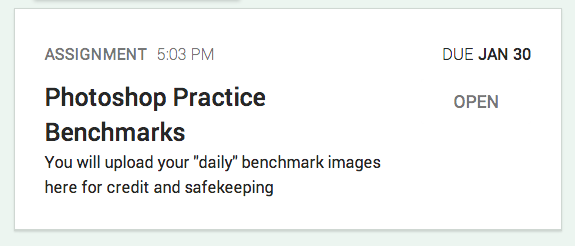
      • Upload your finished "girl with Acne.PSD"  file to your Google Classroom into the assignment named "Photoshop Practice Benchmarks"  

    Exit ticket : [10]


    Thursday, December 18, 2014

    Thursday: Photoshop V - The Cartman Issue


    Learning Target(s):
    • I can discuss the social implications of Photoshop
    Announcement(s):
    Warm-Up:  
      • Typing TEST [05]
    Agenda : [55]

    • Cartman can make you beautiful...

    Wednesday, December 17, 2014

    Advisory


    •    Party FRIDAY   
      •    Bring Food and Drink   
    •    Friday CM   
        •    Performance?   
    •    Tomorrow's CM   
      •    #BlackLivesMatter   
    •    Maze Runner to 45:23 (girl arrives)  

    Tuesday, December 16, 2014

    Tues/Weds[Block]: Photoshop Mid-Term and Day V


    as posted outside the class
    Learning Target(s):
    • I can DEMONSTRATE basic Photoshop photo retouching techniques by completing the mid-term performance task
    Announcement(s):
    Warm-Up:  
      • Typing LESSON [10]
    Agenda : [90]
    • Mid-Term (from this...

     to this in 1 hour)


    Monday, December 15, 2014

    Monday: Photoshop Day IV

    as posted outside the class
    Learning Target(s):
    • I can learn basic Photoshop photo retouching techniques by practicing content aware moves, fills, and patches
    Announcement(s):
    Warm-Up:  
      • Typing LESSON [10]
    Agenda : [50]
      • IF YOU WERE ABSENT FOR DAYs I or II OF PHOTOSHOP LAST WEEK[00]
        • If you have not already created a new folder on your new computer do so now and, then...
        • Download the practice images from your Google Classroom 
          • LighthouseOriginal.jpg
          • Lighthouse_Logo.psd
        • Get a Cheat Sheet from John - only if you were absent 
        • PHOTOSHOP
          • [Running List of Skills - spans multiple lessons]
          • A Rapid fire first look at a few of the tools
            • V1: Open a file (0:36); Straightening (3:10); Cropping (3:35)
            • V2: Spot Healing brush (0:30); Content-Aware Fill (1:36); Content-Aware Move (2:40)
            • V3: Hue/Saturation (1:33); Black & White (2:19); Selective colorization with masks (2:30)
        === MONDAY PLANNED START ===
            • All periods - V4: Place a logo (0:36); Add text (1:25); Save as a JPG (2:56)
          • Dove Evolution - Photoshop "makeup"
            • Discussion Question: is Photoshop 'makeup' always result in a FAKE you?  What makes you real?
        === MONDAY PLANNED STOP ===
        (your actual mileage may vary)

        Thursday, December 11, 2014

        Friday: Introduction to Photoshop III

        as posted outside the class

        Learning Target(s):
        • I can learn the parts of the Photoshop Interface
        Announcement(s):
        Warm-Up:  
          • Typing TEST [05]
        Agenda : [50]
          • IF YOU WERE ABSENT FOR DAYs I or II OF PHOTOSHOP LAST WEEK[00]
            • If you have not already created a new folder on your new computer do so now and, then...
            • Download the practice images from your Google Classroom 
              • LighthouseOriginal.jpg
              • Lighthouse_Logo.psd
            • Get a Cheat Sheet from John - only if you were absent 
            • PHOTOSHOP
              • Editing your first picture! [Running List]
              • A Rapid fire first look at a few of the tools
                • V1: Open a file (0:36); Straightening (3:10); Cropping (3:35)
                • V2: Spot Healing brush (0:30); Content-Aware Fill (1:36); [1st & 5th? period]Content-Aware Move (2:40)
                • V3: [3rd & 4th period] Hue/Saturation (1:33); Black & White (2:19); Selective colorization (2:30)
                • V4: Place a logo (0:36); Add text (1:25); Save as a JPG (2:56)


            Tuesday, December 9, 2014

            Tuesday/Wednesday: The HOUR of Code


            Do-Now:  Think about this... 
            Can a Computer THINK?  


            President Obama kicks off 

            the Hour of Code 2014


            What Most Schools Don't Teach


             The Challenges: 
            Easiest ones on the top...


            NOW, put ON your 
            headphones: 
            You will watch one more 
            video on your own...


            Then: 
            Click the Start Button
            and choose your adventure...


            When you 
            finish your 
            CODE Lesson: 
            Just click the start button 
            above again!  Or call John 
            over for a bigger challenge.
            Or CLICK HERE to 
            write a program
            for your ANDROID 
            Phone

            Monday, December 8, 2014

            Monday: Introduction to Photoshop II

            as posted outside the class
            Learning Target(s):
            • I can learn the parts of the Photoshop Interface
            Announcement(s):
            Warm-Up:  
              • Typing EXERCISE [10]
            Agenda : [50]
              • IF YOU WERE ABSENT FOR DAY ONE OF PHOTOSHOP LAST WEEK[00]
                • If you have not already created a new folder on your new computer do so now and, then...
                • Download the practice images from your Google Classroom 
                  • LighthouseOriginal.jpg
                  • Lighthouse_Logo.psd
                • Get a Cheat Sheet from John - only if you were absent last Tuesday
                • PHOTOSHOP
                  • Editing your first picture! [30+ Next Class]
                  • A Rapid fire first look at a few of the tools
                    • Open a file (0:36); Straightening (3:10); Cropping (3:35)
                    • Spot Healing brush (0:30); Content-Aware Fill (1:36); Content-Aware Move (2:40)
                    • Hue/Saturation (1:33); Black & White (2:19); Selective colorization (2:30)
                    • Place a logo (0:36); Add text (1:25); Save as a JPG (2:56)

                Wednesday, December 3, 2014

                Weds-Thurs: White Like Me

                NO COMPUTERS - NO TYPING WEB


                Repetitive Motion Disorder: Black Reality and White Denial in America

                I suppose there is no longer much point in debating the facts surrounding the shooting of Michael Brown. First, because Officer Darren Wilson has been cleared by a grand jury, and even the collective brilliance of a thousand bloggers pointing out the glaring inconsistencies in his version of events that August day won’t result in a different outcome. And second, because Wilson’s guilt or innocence was always somewhat secondary to the larger issue: namely, the issue of this gigantic national inkblot staring us in the face, and what we see when we look at it—and more to the point, why?
                Because it is a kind of racial Rorschach (is it not?) into which each of these cases—not just Brown but all the others, from Trayvon Martin to Sean Bell to Patrick Dorismond to Aswan Watson and beyond—inevitably and without fail morph. That we see such different things when we look upon them must mean something. That so much of white America cannot see the shapes made out so clearly by most of black America cannot be a mere coincidence, nor is it likely an inherent defect in our vision. Rather, it is a socially-constructed astigmatism that blinds so many to the way in which black folks often experience law enforcement... [MORE]


                Tuesday, December 2, 2014

                Tuesday: Introduction to Photoshop

                as posted outside the class
                Learning Target(s):
                • I can learn the parts of the Photoshop Interface
                Announcement(s):
                Warm-Up: 
                  • Typing EXERCISE [10]
                Agenda : [50]
                • New Data Drive [10]
                  • Open your Period Folder
                  • Create a NEW Folder with your name
                    • This is where you will store your workfiles
                    • You will need a flash drive for your backup files
                  • Download the practice images from your google classroom 
                    • LighthouseOriginal.jpg
                    • Lighthouse_Logo.psd
                  • and store them in your DATA DRIVE | PERIOD | YOURNAME FOLDER
                • Photoshop
                  • The Icons (Cheat Sheet!)
                  • Starting and Exploring the Program [05]
                  • Editing your first picture! [30+ Next Class]
                  • A Rapid fire first look at a few of the tools
                    • Open a file (0:36); Straightening (3:10); Cropping (3:35)
                    • Spot Healing brush (0:30); Content-Aware Fill (1:36); Content-Aware Move (2:40)
                    • Hue/Saturation (1:33); Black & White (2:19); Selective colorization (2:30)
                    • Place a logo (0:36); Add text (1:25); Save as a JPG (2:56)

                Monday, December 1, 2014

                Monday: New Seats & Introduction to Photoshop

                SIT IN YOUR OLD SEAT 
                ONE LAST TIME
                Learning Target(s):
                • I can submit an archive copy of my Testimonio Keynote to my Google Classroom
                • I can thoughtfully choose a new peer edit group
                Announcement(s):
                Warm-Up: 
                  • Typing EXERCISE [10]
                Agenda : [50]
                  • Special Schedules next 3 weeks
                    • AR & CAHSEE Assessments #2 (CAHSEE Results after the new year) on Friday
                  • New Seats
                    • FIRST - Make sure you upload your Testimonio Keynote.Key.ZIP into your Google Classroom Assignment.
                      • Open in Keynote
                        • RENAME the file so you know it is the correct one.
                          • Final - Block ? - Testimonio Keynote - First LastName
                        • In Keynote
                          • File
                          • Export
                          • Zip Archive
                    • Then propose WHO you will sit with for the Photoshop and Cell Phone Photography Unit
                      • No more than THREE students in a peer review group
                      • Students in a peer review group will be responsible for critiquing each other's work using rubrics and class notes
                      • Students who choose to sit singly will be assigned a peer review group when necessary
                    • John will assign you WHERE your group sits IF he approves your group
                      • There is no appeal - you will sit where you are told or I will not let you choose your peer review group.  
                  • Photoshop: