Tuesday, March 24, 2015

Tuesday: DP - Intro to Cell Phone Photography (w/Teacher Exemplars) [Digital Photography]

"[Photography] is an immediate sketch, done with intuition, and you can't [really] correct it..." 
Henri Cartier-Bresson
Do Now:  
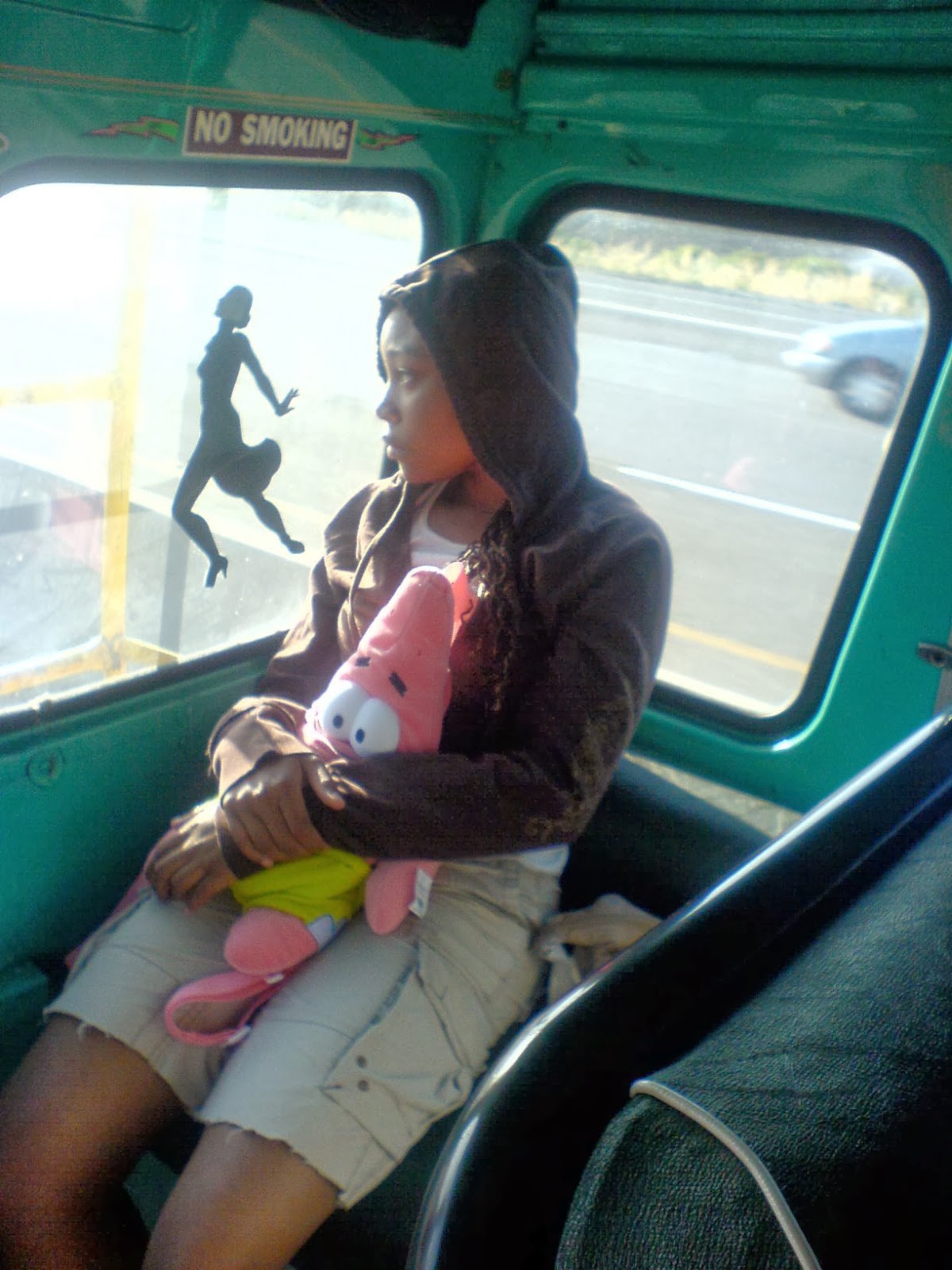
  • Look at the following photos and choose your favorite
  • Decide WHY it is your favorite
  • Discuss it with your seatmates

Unit Learning Target(s):  
  • How can we take good pictures no matter what kind of camera we have at the moment? 
  • How can we use our critical thinking skills to MAKE a good picture happen?
Daily Learning Target(s):  
  • I can LEARN the Best Practices of Digital Photography by viewing exemplars and taking notes on the techniques used to achieve them.
Announcements: 


  • Photo Walk Weds & Thurs 


  • Bring Fully Charged Cell Phones and Cameras 


  • Hella Healthy meets in the THEATER with a SUB this Friday
  • Agenda: 


    Monday, March 23, 2015

    Monday: REFLECTION [Photoshop PSA]

    Warm-Up:

    Learning Target(s):
    • I can reflect on my successes and struggles during the Photoshop PSA Project
    • I can complete my PSA (late for a 1/2 point grade deduction)

    Announcement(s):
    • Late Acceptance of Photoshop PSA's & Reflection Rough Drafts ends @ 6PM TONIGHT
    • Photo Walk Weds & Thurs
      • Bring Fully Charged Cell Phones and Cameras
    • Hella Healthy meets in the THEATER with a SUB this Friday
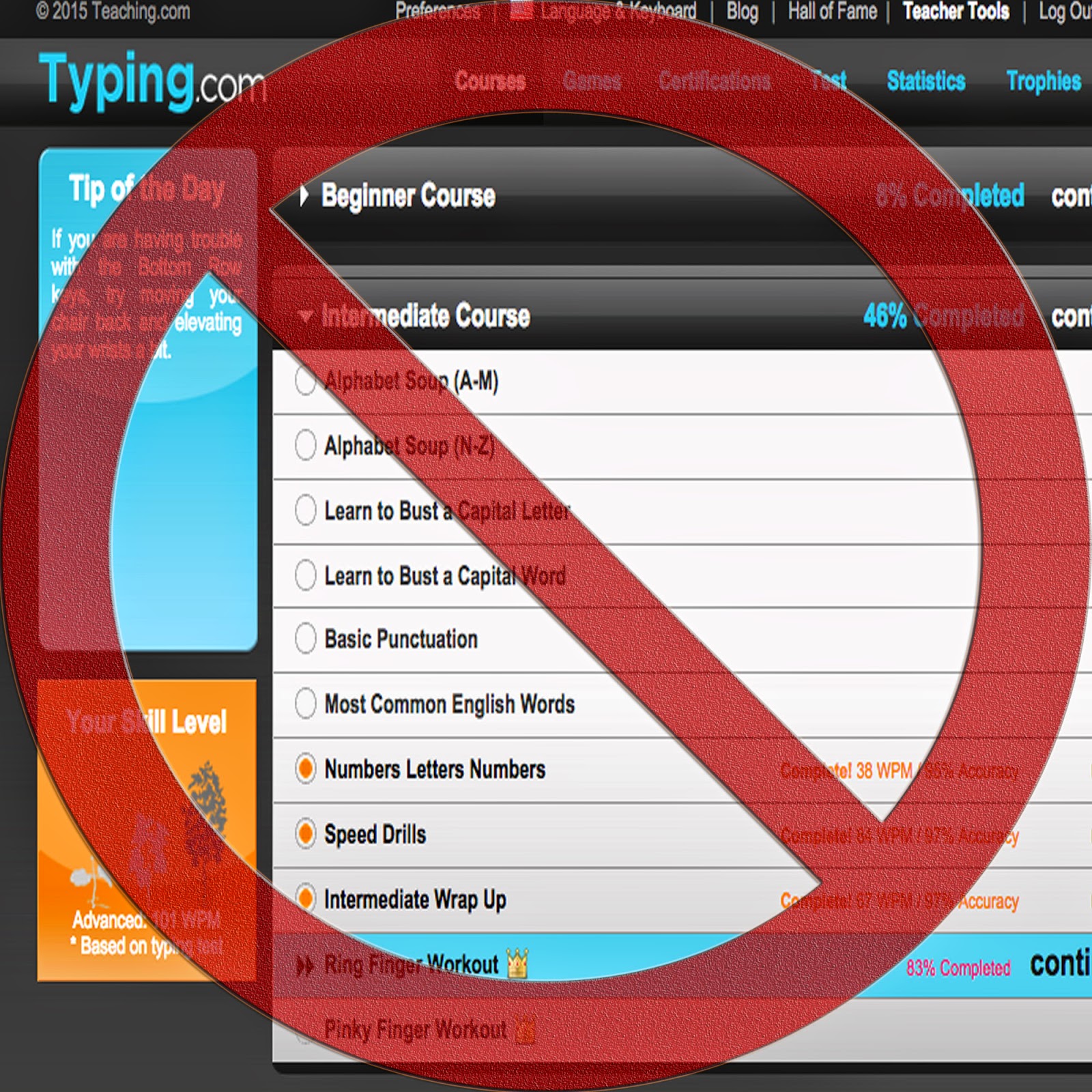
    • Typing.com GRADES are linked here
    Agenda : [60]
    1. [10] Explanation of:
      1. Photoshop PSA Artist Statement (reflection) Rubric with Prompts
    2. [40-45] Independent work time
      1. PSA for LATE Credit
      2. Artist Statement for ON TIME Credit
        1. Template is in your Google Classroom
    3. [5-10] Upload/Turn In 
      1. Turn in Reflection If PROFICIENT (Final proficiency DUE Friday) [Google Doc in your Google Classroom]
      2. OR - Upload and Turn In PSD & JPG to your Google Classroom
        1. Complete DRAFT Reflection during Period 6 before 6pm
          1. (Final proficiency DUE Friday) [Google Doc in your Google Classroom]

    Friday, March 20, 2015

    Friday: Accelerated Reader Assessment #3

    Good Friday
    Warrior Scholars!
    Today you are going to take 
    your THIRD Accelerated Reader
    online assessment of your 
    reading comprehension. 

    This assessment is made up of a combination of vocabulary and short passage questions. You are going to do great. 


    For some of you it might take less than 20 minutes, for others it will take longer.  Don't trip. Remember, the test gets harder every time you answer a question right so DON'T GET DISCOURAGED!


    It is ESSENTIAL that the classroom remain extremely quiet so that everyone has the best environment.


    Take this test seriously because we are going to follow up with you to let you know how you did and to help you make reading goals, as well as help us to decide on the appropriate intervention for you.  


    This test is TIMED by the question. If you are running out of time a little clock will appear at the top of the screen. Try and answer the question soon if you see the clock.


    When you finish the assessment BREATH for a minute and then read your SSR book or do quiet schoolwork. No computers unless working on essays or lab reports. Above All Remain Quiet For The ENTIRE Class Period


    Thursday, March 19, 2015

    Thursday: Photoshop PSA completion day


    1. Finish your PSA - you have the option of taking a grade PENALTY and turning it in on MONDAY*
    2. Save for Web a copy in JPG-High format
    3. Upload BOTH the PSD and the JPG to your Google Classroom
    4. TURN IN THE ASSIGNMENT
      1. Include in the notes any explanations necessary to understand and assess your work.


    *
    • All PSA's turned in by the end of class TODAY will receive a grade bonus of John's choosing 
    • On Monday we will do our REFLECTION.  
      • Students may elect to work on and turn in their PSA's on Monday.  If so
        • Grade PENALTY= 1/2 letter grade (a C becomes an NC, a B+ becomes a B-, etc...)
        • Students may include an explanation for their late work and that will be considered.
          • Explanations must be written in the ASSIGNMENT NOTES when you turn in your files.
        • Students will also be responsible for completing the reflection during period 6 on Monday.

    Mon-Thursday: Photoshop PSA Work Week

    If you were absent ANY Day
    it is YOUR duty to check with John

    Learning Target(s):
    • I can select my final PSA and complete it according to the project description
    Deadlines:
    • Both Folders of Images: 
      • WERE Due @ End of Class Tuesday 3/10
    • BOTH ROUGH DRAFTS: 
      • WERE  Due as .jpg's uploaded to your google classroom by the end of LAST Class 
    • Final PSA IS Due in your Google Classroom @ End of Class THIS Thurs
      • You will have 3.33 hours of class time to complete your best effort (No Typing Web this week)
      • You should plan on COMPLETELY REDOING YOUR PSA: making more careful selections; getting larger/more appropriate sources images; adding text; adding filters and other 'effects'
      • Mini-lessons on each skill will be taught throughout this time
        • Sign up under your period on the board
      • You will receive your third quarter grade Photoshop based on this Image
      • Final revised after feedback grades will be reflected in Q4 Grades
    Homework:
    • None
    Announcement(s):
    Agenda : [60-100]

    1. CALL JOHN OVER if you still need to do the following:
      1. Propose which draft (PSA1 or PSA2) you will take to completion
      2. Begin final PSA
      3. Create a NEW BASE Document if necessary
        1. Use instructions from last class
    2. Complete ALL Requirements by the end of class Thursday
      1. Social issue that is Universal & DOable
      2. Original work of computer art of your own composed of:
        1. Minimum 5 component images on individual layers
          1. See your requirements document for complete rules about what you can and cannot use as a component image.
        2. Demonstrating Proficient Photoshop techniques
          1. All techniques and decisions documented in Artist Statement/Reflection by layer
        3. 8x10 Printed size
        4. 300 dpi resolution
        5. Uploaded as BOTH
          1. JPG &
          2. PSD


    Thursday, March 12, 2015

    Weds/Thurs: Assembling the Photoshop PSA Drafts (2)


    If you were absent ANY Day
    it is YOUR duty to check with John
    Learning Target(s):
    • I can assemble PSA1 and PSA2 in rough form by the end of the period
      • I can use my sketch to select images for my rough draft PSA's
        • I can consult with my peers on my message drafts
    Deadlines:
    • Both Folders of Images: 
      • WERE Due @ End of Class Tuesday 3/10
    • BOTH ROUGH DRAFTS: 
    • Final PSA Due @ End of Class Next Weds/Thurs, 3/18
      • You will have 3.5 hours of class time to complete your best first effort (No Typing Web next week)
      • You should plan on COMPLETELY REDOING YOUR PSA: making more careful selections; getting larger/more appropriate sources images; adding text; adding filters and other 'effects'
      • Mini-lessons on each skill will be taught throughout this time
        • Sign up under your period on the board
      • You will receive your third quarter grade Photoshop based on this Image
      • Final revised after feedback grades will be reflected in Q4 Grades
    Homework:
    • None
    Announcement(s):
    • Hella hEAlthy WALKING FIELD TRIP THIS FRIDAY 3/13
      • 40 minute tour of the Teen Clinic at AHS
      • 8 minute walk each way rain or shine
    • Final TypingWeb grades for Q3 are this Weds/Thurs 
      • (some at home work MAY be counted after that date)
    • Quarter Three Ends Next Friday 3/20
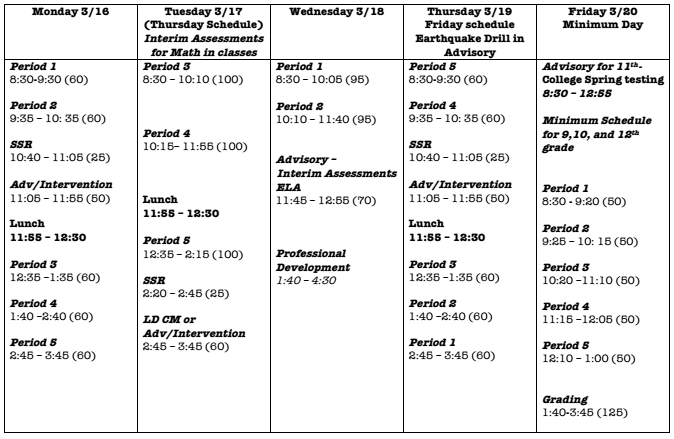
      • NEW Special Schedule Next Week 3/16-3/20
    Agenda : [100]
    • TypingTEST [10]
    • Assemble ROUGH DRAFTS of both PSA1 and PSA2 using Photoshop [90]
      • Assemble all pictures for PSA1 on one layer of a properly sized base document 

    • Open Photoshop
        1. Create a new document: 
        2. The initial screen will look something like this: 
        3. Rename the file:                        
        4. Open the PRESET control:                              
        5. Select PHOTO:                      
        6. Choose PORTRAIT  if you want a VERTICAL PSA: 
        7. Select LANDSCAPE if you want a HORIZONTAL PSA:  
        8. Make sure THESE SETTINGS look like this:  
        9. Change the background to TRANSPARENT (unless you know you want something else):                   
        10. Take one last look around:   
        11. And say OK!                                               :
        12. Your document will look like this: 
        13. The last step is to check if it is saved in the right place by selecting FILE|SAVE AS:                                        
        14. And making sure it is saved in your DATA DRIVE: 
        15. Whew!
    • ADD your images from your Data Drive
      1. SELECT ONE Image: 
      2. COMMAND+A to SELECT ALL:        
      3. DRAG ALL OF THEM ONTO THE PHOTOSHOP ICON: 
      4. They will open as TABS: 
         
      5. Arrange your windows 6-up (if you have more than 6 images you will start with the first six):                                                      
      6. They will look something like this and you should see your checkerboard master image:                                            
      7. Select an image OTHER THAN YOUR MASTER IMAGE and look for its LAYER:                                         
      8. DRAG THAT LAYER onto the MASTER IMAGE:  
      9. Your Master Image should now be selected and it should now have TWO LAYERS:                                      
      10. CLOSE the images that you JUST DRAGGED (do NOT close your Master Image):                                              
      11. REPEAT UNTIL ALL COMPONENT IMAGES ARE LAYERS IN THE MASTER IMAGE
    • ROUGHLY Mock Up PSA #1
      1. Make rough Selections
      2. Don't worry about filter or fancy text
      3. When finished SAVE FOR WEB as JPG and UPLOAD TO GOOGLE CLASSROOM
    • Repeat ABOVE for PSA #2


    As Needed Instructions from past lessons: [XX]
    • Peer Review of Message Sketches [As needed]
      • Remember your appeals - approve no sketches without the proper appeal!
    • Selecting your Rough Draft Images [XX]
      • place all images (minimum 5 for each PSA) in folders in your student drive folder
        • Name the folders "PSA 1" and "PSA 2"
      • BOTH FOLDERS ARE DUE Tuesday, 3/10/15
        • Each PSA must have its OWN folder on your DATA DRIVE
        • All Images must related to the sketched PSA
        • To get credit sign up on Board for John to check your work and approve your next step
      • Image requirements
        • No watermarks
        • No MEMES
        • No IMAGES WITH WORDS ALREADY ON THEM (except signs)
        • No INSTAGRAM images
        • ONLY high quality, high resolution images
        • No PIXELATED images when zoomed
        • No images from a similar PSA
          • i.e. if you are doing an anti-smoking PSA you cannot get your images from another anti-smoking PSA or AD
          • Try to use ONLY LARGE IMAGES from your Google Search 


    Wednesday, March 11, 2015

    Weds: ADVISORY - Revolution Prep

    After you do THREE Revolution Prep MATH Lessons (0r 25 minutes, whichever comes first) you may do one or more of the following things this period (and none of them is talking)


    1. Revolution Prep MATH Lessons
    2. Revolution Prep ELA Lessons
    3. TypingWeb Exercises for CREDIT IN 3RD QUARTER
    4. Book Covers for SSR books already read
    5. Read SSR Book
    6. Do Homework

    Monday, March 9, 2015

    Mon/Tues: PSA Image Selection


    If you were absent ANY Day
    it is YOUR duty to check with John
    Learning Target(s):
    • I can consult with my peers on my message drafts
    • I can use my sketch to select images for my rough draft PSA's
    Deadlines:
    • Both Folders of Images: 
      • Due @ End of Class Tuesday 3/10
    • BOTH ROUGH DRAFTS: 
      • Due @ End of Class This Weds/Thurs 3/11-12
    • Final PSA Due @ End of Class Next Weds/Thurs, 3/18
      • You will have 3 hours of class time to complete your best first effort (No Typing Web next week)
      • Mini-lessons on each skill will be taught throughout this time
        • Sign up under your period on the board
      • You will receive your third quarter grade Photoshop based on this Image
      • Final revised after feedback grades will be reflected in Q4 Grades
    Homework:
    • None
    Announcement(s):
    • Hella hEAlthy WALKING FIELD TRIP THIS FRIDAY 3/13
      • 40 minute tour of the Teen Clinic at AHS
      • 8 minute walk each way rain or shine
    • Final TypingWeb grades for Q3 are this Weds/Thurs 
      • (some at home work MAY be counted after that date)
    • Quarter Three Ends Next Friday 3/20
      • NEW Special Schedule Next Week 3/16-3/20
    Agenda : [60]
    • TypingWeb [10]
    • Peer Review of Message Sketches [As needed]
      • Remember your appeals - approve no sketches without the proper appeal!
    • Selecting your Rough Draft Images [50]
      • place all images (minimum 5 for each PSA) in folders in your student drive folder
        • Name the folders "PSA 1" and "PSA 2"
      • BOTH FOLDERS ARE DUE Tuesday, 3/10/15
        • Each PSA must have its OWN folder on your DATA DRIVE
        • All Images must related to the sketched PSA
        • To get credit sign up on Board for John to check your work and approve your next step
      • Image requirements
        • No watermarks
        • No MEMES
        • No IMAGES WITH WORDS ALREADY ON THEM (except signs)
        • No INSTAGRAM images
        • ONLY high quality, high resolution images
        • No PIXELATED images when zoomed
        • No images from a similar PSA
          • i.e. if you are doing an anti-smoking PSA you cannot get your images from another anti-smoking PSA or AD
          • Try to use ONLY LARGE IMAGES from your Google Search 


    Wednesday, March 4, 2015

    Wednesday: PSA Workday


    Turn in your Message SKETCHES
    AND your BENCHMARK SHEET
    if you were absent on Tuesday
    Learning Target(s):
    • I can consult with my peers on my message drafts
    • I can use my sketch to select images for my rough draft PSA
    • I can start creating the draft of PSA #1 in Photoshop
    Homework:
    • None

    Announcement(s):
    • Bring in your field trip forms!!!

      Agenda : [100]
      • TypingWeb [15]
      • Peer Review of Message Sketches [As needed]
        • Remember your appeals - approve no sketches without the proper appeal!
      • Selecting your Rough Draft Images [85]
        • place all images in folders in your student drive folder
          • Name the folders "PSA 1" and "PSA 2"
        • Image requirements
          • No MEMES
          • No IMAGES WITH WORDS ALREADY ON THEM (except signs)
          • No INSTAGRAM images
          • ONLY high quality, high resolution images
          • No PIXELATED images when zoomed
          • No images from a similar PSA
            • i.e. if you are doing an anti-smoking PSA you cannot get your images from another anti-smoking PSA or AD
            • Try to use ONLY LARGE IMAGES from your Google Search 


      Tuesday, March 3, 2015

      Tuesday: PSA Image Selection


      Turn in your Message SKETCHES
      AND your BENCHMARK SHEET
      beforeyou go to your seat
      Learning Target(s):
      • I can consult with my peers on my message drafts
      • I can use my sketch to select images for my rough draft PSA
      Homework:
      • None

      Announcement(s):
      • Bring in your field trip forms ASAP!!!

      Agenda : [60]
      • TypingWeb [10]
      • RETURN Message Sketches [05]
      • Peer Review of Message Sketches [10]
        • Remember your appeals - approve no sketches without the proper appeal!
      • Selecting your Rough Draft Images [25]
        • place all images in folders in your student drive folder
          • Name the folders "PSA 1" and "PSA 2"
        • Image requirements
          • No MEMES
          • No IMAGES WITH WORDS ALREADY ON THEM (except signs)
          • No INSTAGRAM images
          • ONLY high quality, high resolution images
          • No PIXELATED images when zoomed
          • No images from a similar PSA
            • i.e. if you are doing an anti-smoking PSA you cannot get your images from another anti-smoking PSA or AD
            • Try to use ONLY LARGE IMAGES from your Google Search 


      Monday, March 2, 2015

      Monday: The Appeals and Exemplars

      NO TYPING WEB TODAY

      Learning Target(s):
      • I can understand the different appeals and 'sales' methods
      • I can use exemplars to inform my work
      Homework:
      • Complete PSA sketch

      Announcement(s):
      • This week is a NORMAL SCHEDULE except for Thursday because the field trip has been rescheduled for this week!.
      • Bring in your field trip forms ASAP!!!
      • We will again have unbalanced classes this week 
        • (3,4,5 meet 100 minutes less than 1 & 2)

        Agenda : [60]
        • Announcements [05]
        • The Methods & Appeals [20] w/handout
          • Hard/Soft
          • Ethos
          • Logos
          • Pathos
        • Exemplars and Examples [20]
        • Homework [15]
          • The PSA Sketch - 2 ideas